

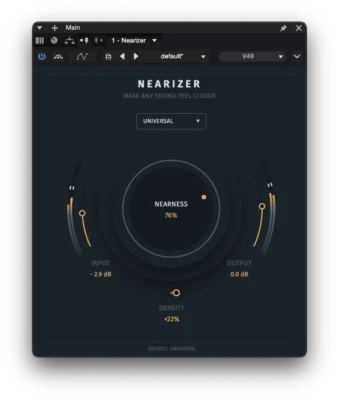
Nearizer FX
Use Nearizer when a sound feels too far away and needs to feel closer to the listener.
View Nearizer FX
Place sounds at different points inside a virtual room and control their spatial position through one visual workflow.
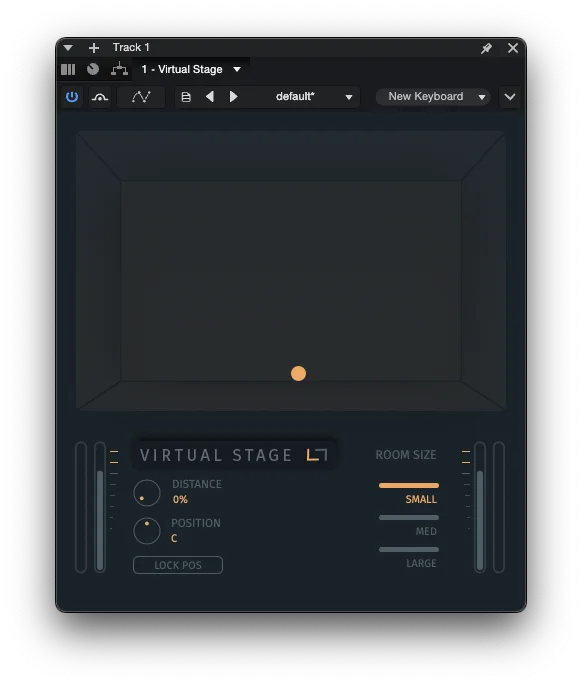
Hear how Virtual Stage FX moves different sound sources through the virtual room, changing their perceived position in space.
Give each sound its own position in the virtual room without relying on more reverb that can blur detail and fill up the mix.
Use it on vocals, drums, guitars, synths, orchestral instruments, sound effects, and other sources whenever you want more control over where they sit in the virtual space.
Depth, closeness and perceived size are different mixing problems. See the practical guide →
Virtual Stage FX turns spatial placement into one connected visual workflow. Instead of simply adding more room sound or adjusting pan, you choose where a track sits inside the virtual room and shape its perceived position as a whole.
As you move the source to a new point in the room, Virtual Stage FX coordinates perceived distance, stereo width, balance, panning, early reflections, and room response in real time.
Instead of building separate chains of panning, EQ, delay, stereo tools, and reverb just to place a sound in space, you can focus on one question: where should this source sit in the room?
Move a source to a different point inside the virtual room. Horizontal placement and depth work together as parts of the same spatial position, while Lock Position lets you change depth without shifting the source sideways.
Distance, width, balance, panning, reflections, and room response work together as part of the same placement process, so you can shape depth without constantly switching between separate effects.
Choose Small for a compact and focused space, Medium for a balanced room, or Large for a wider and more open sense of space.
Virtual Stage FX was featured as a practical way to help separately recorded parts feel like they belong in the same space.
A practical way to find the right place for a sound in the mix, with multiple spatial controls working together instead of relying on a long chain of separate effects.
Simple, effective, useful for creating depth, and strong value for the price. Users also point to the fast workflow and practical mix-depth control.
Virtual Stage FX places a source inside a virtual room. Nearizer brings the source closer to the listener, while Upsizer makes the source itself feel bigger.
Use Nearizer when a sound feels too far away and needs to feel closer to the listener.
View Nearizer FX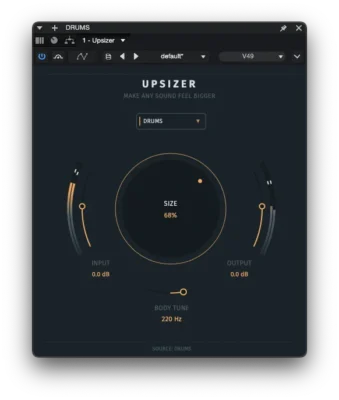
Use Upsizer when a source needs to feel physically larger, not simply louder or wider.
View Upsizer FX