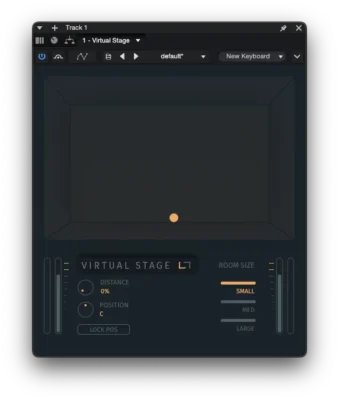
Virtual Stage FX
Move any sound through a virtual room and place it exactly where you want it.
View Virtual Stage FX
Make any sound bigger.
Compare Upsizer OFF and ON across different sources. In every demo, the first half is OFF and the second half is ON.
Upsizer reshapes the cues that define how large a sound source feels, giving you direct control over its perceived physical scale.
Use it on individual sounds, groups, loops, buses, or full mixes, with mono or stereo material.
Depth, closeness and perceived size are different mixing problems. See the practical guide →
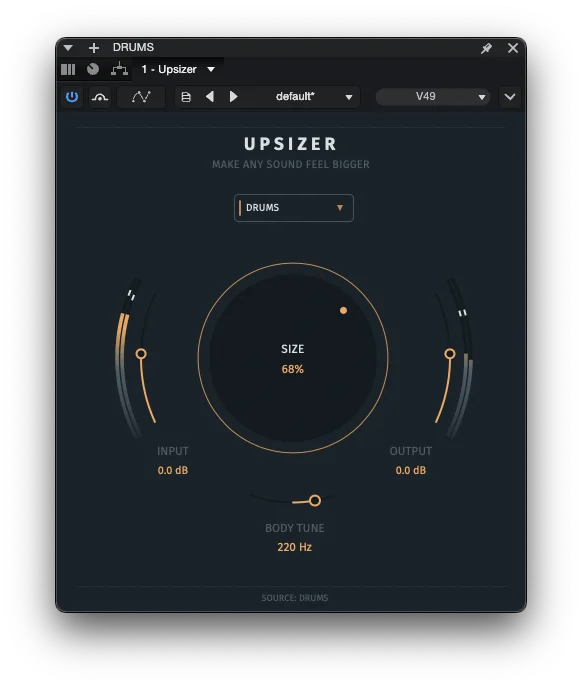
Upsizer FX is built around one main SIZE control. Turn it up to move from a subtle increase in scale to a much larger and more substantial source.
Rather than relying on volume or stereo width alone, Upsizer keeps the original at the center and builds shaped supporting layers around it. Timing, pitch, spectral, dynamic, and spatial changes work together to increase the perceived physical size of the source. Twelve user-selected Source Profiles tune the response for different material.
BODY TUNE lets you focus the added body where it works best for the source. In Full Mix mode, the control becomes MIX ROOT, keeping the additional body musically connected to the track.
Control perceived physical scale with one main control, from a subtle increase in size to a much larger and more substantial source.
Focus the added body where it works best for the source. When Full Mix is selected, MIX ROOT keeps the added body musically connected to the track.
Choose Female Vocal, Male Vocal, Piano / Keys, Synth, Pads, Drums, Solo Guitar, Dist. Guitar Chords, Acoustic Chords, Bass, Full Mix, or Universal. Each profile changes how the processing responds to the selected material.
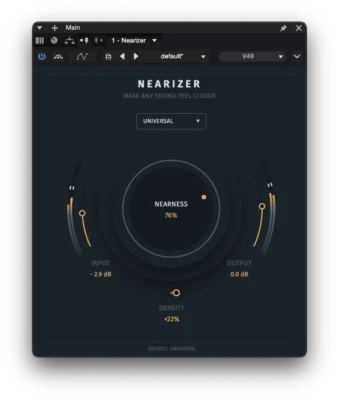
Upsizer makes the source itself feel bigger. Virtual Stage FX moves it through a virtual room, while Nearizer brings it closer to the listener.
Move any sound through a virtual room and place it exactly where you want it.
View Virtual Stage FX